
Precision logistics calculator
Pallet Calculator & 3D Simulator
Plan single or mixed package profiles on standard or custom pallets.
Schematic planning preview
Verify the pallet calculation on the server first. Actual outer dimensions, deck height and tare must be confirmed before transfer.
3D pallet arrangement
How the Pallet Calculator Works
Enter one or more package rows with dimensions, weight per package, and quantity. The calculator builds repeatable upright layers for each package profile, then assigns those layers to standard or custom pallets within the entered height and weight limits.
Supported Pallet Types
- EUR / EPAL: 120 x 80 cm (47.2 x 31.5 in). The standard European pallet.
- Standard US: 48 x 40 in (121.9 x 101.6 cm). Widely used in North America.
- Industrial: 120 x 100 cm (47.2 x 39.4 in). Common in UK and global shipping.
Optimization Logic
For every package row, the engine compares its two horizontal orientations while keeping the package upright. It creates full and partial single-profile layers, then uses a deterministic planning heuristic to combine those layers on pallets. The result includes unplaced packages, mixed-pallet counts, profile and pallet-plan tables, and 3D views of the first, most mixed, and last pallets.
Planning Limits
The simulation does not interlock different package profiles inside one layer and checks geometric layer support but does not verify load stability, compression strength, handling clearances, or transport regulations. Review the physical load before use.
Frequently asked questions
How are mixed package rows arranged?
Each package stays upright while the engine compares its two horizontal orientations. It builds single-profile layers within the entered cargo-height and cargo-weight limits. Upper layers require full geometric support from the layer below; partial grids may narrow to fit, otherwise another pallet is used.
Is this an exact mixed-load optimizer?
No. It is a deterministic planning heuristic. It does not interlock different packages within one layer, tip packages onto another face, test compression or stability, or certify a physical pallet load.
This Pallet Calculator estimates upright carton layers and the pallets needed for your entered package dimensions, quantities, cargo-height and cargo-weight limits. Review placed and unplaced packages, pallet-plan tables and the 3D preview. It is a geometric planning heuristic, not a check of package strength, load stability or transport approval. Confirm the actual pallet base height, tare and outside envelope separately when transferring completed units to container planning.
How to Use a Pallet Calculator
Reliable results start with accurate inputs. Measure the packed carton rather than the product itself, including any bulging, corner boards, edge protectors, trays, or outer packaging. A difference of only a few millimetres can change how many cartons fit across the pallet deck.
- Select a standard pallet footprint or enter a custom deck length and width. Confirm the actual base height and tare separately before the loaded-pallet handoff.
- Enter the outer length, width, height, gross packed weight, and quantity of each carton or handling unit.
- Keep packages upright. Enable horizontal 90-degree rotation only when permitted; this calculator does not tip cartons onto another face.
- Enter Maximum cargo height above the pallet deck, excluding the base. Add the measured base height when checking total loaded height and door clearance.
- Enter the permitted cargo-weight limit, excluding pallet tare. Verify packaging compression, handling and any fragile or hazardous-goods restrictions separately; this tool does not certify them.
- Review the pallet-plan runs and 3D views, and compare revised inputs when needed. The heuristic does not generate interlocking or pinwheel patterns.
- Check the completed unit load against pallet, forklift, rack, vehicle, and container weight limits.
Use one measurement system throughout the calculation. Mixing millimetres, centimetres, and inches is a common cause of serious errors. Weight data should also be consistent: distinguish between net product weight and gross packed weight. For freight and handling calculations, gross packed weight is normally the relevant figure.
Pallet Calculator Formulas and Practical Example
A basic floor calculation tests both carton orientations. For a simple column pattern, divide the pallet length and width by the corresponding carton dimensions, round each result down to a whole number, and multiply the two values. Repeat the calculation after rotating the carton footprint by 90 degrees.
Consider an illustrative 1,200 × 800 mm pallet deck loaded with cartons measuring 400 × 300 × 250 mm. The 150 mm base height and 25 kg tare used below are entered example values, not a universal EUR/EPAL specification. Placing the 400 mm side along the pallet length gives three cartons by two cartons, or six per layer. Rotating the carton footprint gives four cartons by two cartons, or eight per layer.
| Calculation item | Result |
|---|---|
| Pallet footprint | 1,200 × 800 mm |
| Carton footprint | 400 × 300 mm |
| First orientation | 3 × 2 = 6 cartons per layer |
| Rotated orientation | 4 × 2 = 8 cartons per layer |
| Carton height | 250 mm |
| Available cargo height above a 150 mm pallet | 1,500 mm |
| Number of layers | 1,500 ÷ 250 = 6 layers |
| Total cartons | 8 × 6 = 48 cartons |
In this example, 48 cartons is the geometric maximum under the stated height allowance. It is not automatically the approved shipping quantity. If each packed carton weighs 18 kg, the cargo weight is 864 kg. Adding a 25 kg pallet produces a gross unit-load weight of 889 kg. That total must remain within the pallet’s rated capacity and the operating limits of every forklift, rack, vehicle, and container used during the shipment.
Why Usable Capacity May Be Lower
A Pallet Calculator provides a sound planning estimate, but actual loading conditions can reduce the result. Small gaps may be required between cartons, while edge clearance may be needed for stretch film, corner boards, straps, or automated handling equipment. Packed cartons may also exceed their nominal dimensions because of manufacturing tolerances or sidewall bulging.
The layout with the highest carton count is not always the safest. Column stacking places carton corners directly above one another and usually provides better compression strength. Interlocking patterns can improve lateral stability, but they may reduce vertical strength because the walls and corners are not fully aligned. The correct pattern depends on carton construction, product weight, journey length, handling frequency, and expected vibration.
Important Adjustments to Consider
- Overhang: Cartons extending beyond the pallet deck are more exposed to impact and may lose compression strength.
- Underhang: Excessive unused deck space can allow movement and reduce transport efficiency.
- Dimensional tolerance: Add a practical margin when carton measurements are nominal rather than physically verified.
- Load distribution: Heavy cartons should not create an uneven centre of gravity or concentrated pressure on the deck.
- Packaging materials: Include slip sheets, dividers, trays, caps, and protective layers in the height calculation.
- Top-load restrictions: Some products reach their compression or weight limit before the full available height is used.
Calculating Pallets for Container Loading
Once the dimensions and gross weight of each palletised unit are known, the next step is to calculate how many units fit inside a shipping container. A pallet calculator used for container planning compares the pallet footprint and loaded height with the container’s usable internal dimensions, door opening, and payload.
The floor plan should test pallets in their standard orientation, rotated by 90 degrees, and in mixed arrangements. Mixed layouts often use container floor space more effectively than a simple grid. The plan must still allow for loading access, wall clearance, lashing points, dunnage, and sufficient space to close the doors safely. Wheel-arch intrusions and other structural restrictions must also be considered when planning trailers or specialised equipment.
Height needs a separate check. A container’s internal ceiling height may be greater than its door-opening height, so a pallet that fits inside the stated internal dimensions may not pass through the entrance. Forklift mast movement, dock level, loading ramp angle, and any pallet exchange method can impose further restrictions.
Weight capacity should be checked independently of floor capacity. Multiply the gross weight of one loaded pallet by the number of pallets, then add dunnage, bracing, and securing materials. The resulting cargo mass must comply with the container payload, road weight regulations, axle limits, and verified gross mass requirements. Container tare weight and maximum gross weight should never be confused with usable payload.
For a complete container-level check, CBM3.net is a practical companion to the pallet calculation. The free visual 3D container loading calculator allows shippers, freight forwarders, and warehouse managers to test cargo orientations, compare container capacity, and identify loading conflicts before dispatch. It is especially useful when several pallet sizes or loose cartons must be combined in one load.
Interpreting Calculator Results
Calculator results should be treated as a comparison of feasible scenarios, not as a loading guarantee. A useful output normally includes cartons per layer, layer count, total cartons, pallet utilisation, cargo height, cargo weight, and total gross pallet weight. Where several layouts are available, compare both space utilisation and operational suitability.
For example, a layout with one fewer carton per layer may be preferable if it produces straight edges, supports more effective stretch wrapping, or lowers the risk of product damage. Reducing the layer count can also be justified when a full-height load is unstable, exceeds rack clearance, or cannot be handled safely by available equipment.
Common Reasons Results Differ From Warehouse Counts
- Actual packed cartons are larger than the dimensions entered.
- The stated maximum height excludes clearance required by the carrier or warehouse.
- Cartons cannot safely use the orientation selected in the calculation.
- The proposed pattern cannot be assembled with the available loading equipment.
- Package deformation creates gaps or prevents close placement.
- Customer-specific labelling rules require particular carton faces to remain visible.
Using a Pallet Calculator for Better Shipping Decisions
A Pallet Calculator is particularly useful during packaging design, freight quotation, warehouse planning, and order configuration. Testing alternative carton dimensions can reveal ways to increase units per layer without changing the pallet type. It may also show that a small reduction in carton height would permit another layer, generating measurable savings across repeated shipments.
The final arrangement should be verified with a physical trial before it is adopted at scale. Build the proposed load, measure its finished dimensions, confirm the gross weight, and assess stability after wrapping or strapping. Check that labels remain visible and that the load can be lifted, racked, and loaded without deformation. Once the calculation and trial agree, document the pallet specification so packing teams, carriers, and logistics partners can apply it consistently.
From boxes on a pallet to loaded pallets in a container
This calculator answers how your packages can be arranged on pallets. Placing the completed units in a container is a separate task: it needs each full or partial pallet’s outside dimensions, total loaded height and gross weight.
After the server verifies the pallet result, select Plan loaded pallets in a container. The handoff uses the complete plan, not a limited table or a single 3D preview. Review the actual envelope, base height and tare. Cancel the destination confirmation to keep its current cargo; accepting the transfer does not automatically start container planning.
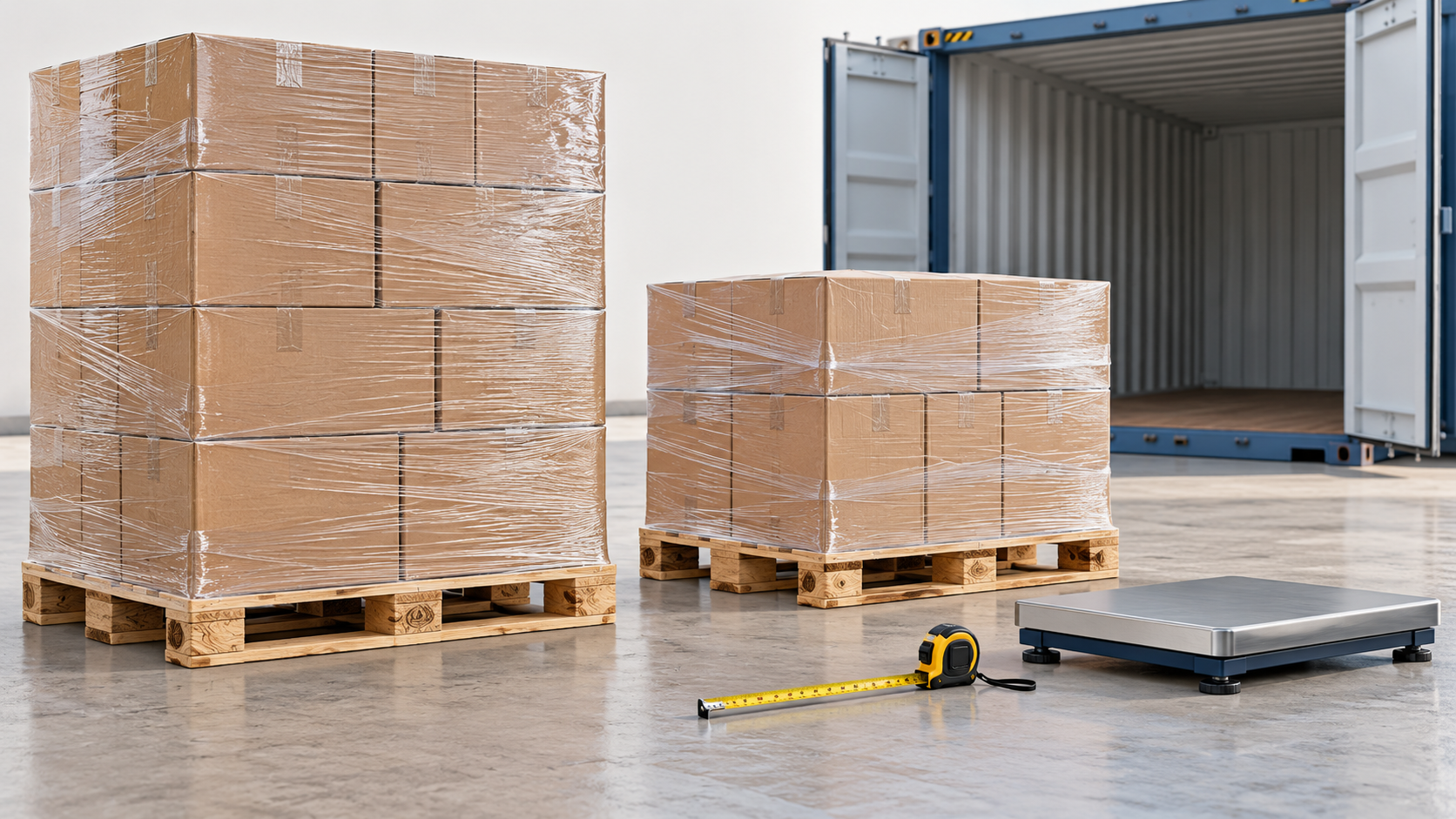
For a mixed test shipment of 113 packages at 10 kg, six at 5 kg and 20 at 3 kg, cargo totals 1220 kg. The four resulting units use an entered total tare of 83 kg, giving 1303 kg gross. Their total heights are 195, 195, 195 and 105 cm with 15 cm bases already included. The shorter partial unit stays separate. These are synthetic inputs, not a universal pallet capacity or manufacturer tare.
Continue to the pallet container calculator for the complete worked example and to test the entered shipment in a selected container. Confirmed-transfer units remain upright, horizontal-only, non-stackable and protected against repalletizing. Source packages left unplaced stay reported separately.
Measure overhang and include all material weights in the inputs; do not add the same deck or tare twice. EPAL’s empty Euro pallet reference is 800 x 1200 x 144 mm and approximately 25 kg, which is not a measurement of your finished unit. The container view models outside envelopes, not pallet strength or cargo securing.
German-language guide: For the difference between pallet floor area, loading metres and the occupied length of a row pattern, read Lademeter berechnen: Europaletten (Deutsch). The illustrated examples are not a carrier quote or a claimed solver optimum.