Use this pallet container calculator to test your loaded pallets in a 20ft, 40ft or high-cube container. Enter each complete unit’s outside dimensions, quantity and gross weight, then review the placed units, unplaced units and number of containers in the plan.
There is no single pallet count for every shipment. Pallet size, cargo overhang, total height, weight and handling restrictions change the result. This tool tests the quantities you enter; it does not search for an unlimited maximum or guarantee the minimum number of containers.
Still starting with loose boxes? Use the carton-to-pallet calculator first. This page handles the next task: putting complete loaded pallets into a container without building those pallets again.
Plan your loaded pallets
Start with the 20DC profile below or choose another suitable load space. Keep Standard plan selected for this entered-shipment test. Confirm the cargo and select Plan 3D Cargo Loading; choosing equipment or confirming a pallet transfer does not automatically start a container calculation.
3D Container Loading Calculator & CBM CalculatorVERSION 11.63.56
Unsaved cargo changes. Save your calculation before leaving this page.
💾 Save Calculation
🔍 Load by Save Code
Enter the save code (e.g. CBM-ABC123) to load a saved calculation.
1 USD = 1.00 USD
⌨️ Shortcuts:Ctrl+N New RowCtrl+S SaveCtrl+Z UndoCtrl+Y RedoEnter Add Row (in last row)Tab Next Field
📚 Product Library 0 items▼
Products are added with quantity 1. New manual products use standard rules; save a cargo row to keep its loading rules.
No saved products yet. Save a row to build your library.
Use only for box-shaped units with flat rigid load-bearing faces in allowed orientations. Assumes a centered center of gravity; verifies static balance, not transport forces or crushing strength.
📥 Import from CSV / Excel
▼
Upload CSV, TSV or Excel. Use the template for units and loading rules. Length may be blank for cylinders. Invalid rows are shown before you choose what to import.
📤 Export Data
▼
Cargo CSV/XLSX does not include private CSC/VGM records. Transfer those separately in Private record files.
Export current table data together with the new loading constraints, plus calculation results such as volume, density and freight class.
Filename: CBM_Export_YYYY-MM-DD.csv/xlsx
🕒 Calculation History 0 records▼
Last 10 calculations are auto-saved. Click to reload.
No history yet. Calculations are automatically saved.
📋 Templates Saved templates: 0▼
Templates now keep product constraints such as pallet requirement, rotation mode, side-up rule, fragile flag, max stack, loading priority and drop-off stop.
No templates saved yet.
📁 My Records 0▼
Your saved calculations. Click to reload.
No saved calculations yet.
🚢 Load Space & Units
Load Space
No matching containers
Custom Container Dimensions
My Equipment
Open-deck profile settings
Enter the operating envelope for this equipment before planning.
Open-deck results are planning aids. Verify the actual vehicle, route, legal limits and cargo securement.
Global loading rulesWorkflow accelerator
Workflow accelerator
Industry loading presets
Apply proven starting rules, then adjust any row or plan rule to match the shipment.
Applies only the selected starting defaults. You can edit any value afterwards.
Equipment restrictions
My cargo dimensions do not include pallets
This ULD is already a container or aircraft pallet; nested palletization is disabled.
📦 Pallet ConfigurationShared shipment settings appear when a row uses pallets.
Row controls choose how each product uses pallets. These shared settings define the Auto Compare pool, shipment default height, groups and advanced stacking.
Check only profiles that Auto Compare may consider. A fixed row selection does not need a checkbox here.
Advanced profile assignment
Optional ordering behavior for Auto Compare. Fixed pallet choices are made in each cargo row.
Required specifications for generic pallets
Enter the real pallet deck height. Tare and cargo limit are optional; weight validation remains unverified when omitted.
Advanced loaded-pallet stacking
This is a user-supplied operating rule, not a pallet certificate. Full footprint support, a flat top and non-fragile stackable cargo are still required.
⚠️ Custom specs active — nominal values overridden
Dimensions: -
Volume:0.000m³
Converted: 0.000ft³
Override Specs (session only — resets on page reload)
Dimensions are approximate industry standards. Minor variations may occur depending on manufacturer and carrier.
🌍 Transport mode
Do you also want to calculate the freight cost?
🚢 Sea Freight Pricing
✈️ Air Freight Pricing
🚛 Road Freight Pricing
Rail Freight Pricing
Rail cost is calculated only from the carload quote you enter. Confirm operator, route and accessorial charges.
CBM3
Total Items
Set handling and route constraints for this cargo row.
Item Name
Width [cm]
x
Length [cm]
x
Height [cm]
Qty
Wt/pc [kg]
Total [kg]
Volume [m³]
Density (kg/m³)
Est. class
Actions
Number of rows to add: 1–100
📊 Summary
📦Total volume:
0.000m³
0.000ft³
Net Cargo Volume (Pallet Excluded)
0.000 m³
⚖️Cargo / pallet subtotal
0.0kg
0.0lb
Logistics & Freight
N/A
💰 Chargeable weight:0.0 kg
⚖️ Volumetric weight:0.0 kg
Estimated freight classN/A
Cargo/pallet subtotals and freight estimates exclude additional packing materials and equipment tare. They are not the complete loaded mass.
Total rows:0
Containers needed:0
Selected load spaceAutomatic
○
Ready for cargo dataAdd dimensions and quantities to calculate the loading plan.
0
Matched-set resultEqual Quantity FCL result
Matched sets0
Per SKU0
Total units0
📦 Pallet Configuration
Pallets needed
0
Cargo / pallet subtotal
0kg
Cargo/pallet subtotals and freight estimates exclude additional packing materials and equipment tare. They are not the complete loaded mass.
Avg pallet fill
0%
Cargo area
—
📏 Loading Metres (LDM)
LDM:— / 13.6 m
0%
Floor positions: —
Cargo/pallet subtotals and freight estimates exclude additional packing materials and equipment tare. They are not the complete loaded mass.
✈️ Chargeable Weight
Actual Weight:—
Volumetric Weight:—
Chargeable Weight:—
ℹ️ Divisor:
🚚 Freight Class Info:
Estimate based on entered cargo density. Confirm the NMFC item, packaged dimensions, handling, stowability and liability requirements.
🚢
Shipping Recommendation
N/ASelect a container and add cargo to see recommendation
⭐ ⭐ Best Fit Container
Add cargo and select a sea container to see Best Fit recommendation.
💡 💡 Packing Optimizer
Add cargo data and select a container to see intelligent packing advice.
🌍 🌍 Transport Mode Comparison
Volumetric weight & cost comparison across all modes
💡 💡 Smart Insights
ℹ️ How it works: Chargeable weight = max(actual weight, volumetric weight). Carriers charge based on whichever is higher. Volumetric factors: Sea 1:1000, Air/IATA 1:167, Road 1:333. Enter a price above to see estimated freight costs.
3D visualization is not available for refrigerated containers.
🎮 🎮 3D Loading Simulation
View
Camera
0 / 0
Multi-container load planReview each container and any unplaced cargo separately.
ℹ️ Step Information
Item:—
Dimensions:—
Weight:—
Drop-off Stop:—
Alternative load plans
Compare loading plans
Choose the plan that best matches capacity, balance, or warehouse handling priorities.
3 scenarios
Your selection drives the summary, 3D view, PDF, saved record, and shared link.
Pareto Explorer
Compare non-dominated completed plans. This view never starts another solver.
Public plan handoffShare this loading planSend an editable plan link to your customer, warehouse or logistics team.
Loading method:
Transport Check
⚖️ Weight Distribution
Rear:—
Front:—
📊 Volume utilization
📦 Volume
0%
⚖️ Weight
0%
🧾 Create Quote / Request
Fill in your details to generate a professional quote PDF or send via WhatsApp/Email.
Only the selected mode's details will appear in the generated PDF quote.
🚢 Sea Freight Details
✈️ Air Freight Details
🚛 Road Freight Details
Rail Freight Details
Rail cost is calculated only from the carload quote you enter. Confirm operator, route and accessorial charges.
📎 Attach images: Ctrl+V paste or drag & drop (PNG/JPG/GIF/WEBP, max 2MB)
🔒 Your information is stored locally in your browser only. We do not collect or transmit your data.
📂 Recent Quotes
No quotes generated yet.
Measure the loaded unit, not just the empty pallet
A nominal pallet size is only a starting point. Measure the furthest edges of the finished load, including wrapping or overhang. A short final pallet should not inherit the height or weight of a full pallet.
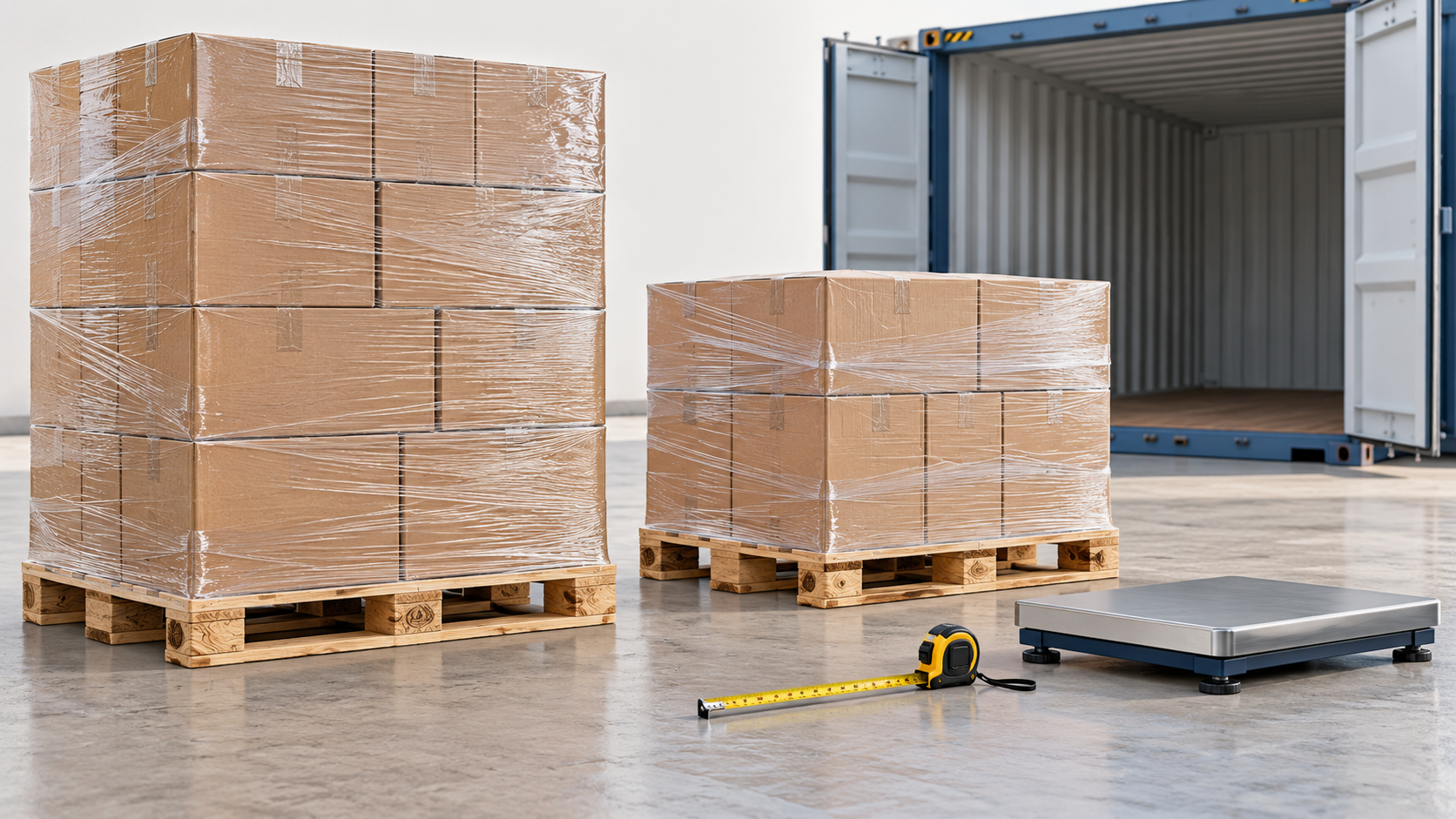
AI-generated explanatory illustration. Measure and weigh each finished unit; this is not a loading result, scale drawing or safety-approved arrangement.
What belongs in a loaded-pallet row
Input
Use
Common mistake
Outside width and length
The largest pallet-and-cargo footprint, including overhang and packaging.
Entering only the empty pallet dimensions.
Total loaded height
Floor to the top of the unit, including the pallet base.
Adding the base a second time or omitting it.
Gross weight per unit
The complete loaded unit, not just its cartons.
Omitting tare or adding it twice.
Quantity and differences
All units; separate rows for different dimensions, gross weights or rules.
Treating a partial pallet as a full one.
The EPAL Euro pallet reference describes an empty unit of 800 x 1200 x 144 mm and approximately 25 kg. That is not a measurement of your loaded pallet. Use the actual tare and finished envelope rather than assuming every wooden pallet matches that reference.
Transfer boxes on pallets into the container planner
Calculate the package arrangement in the pallet calculator and wait for its server-verified result.
Select Plan loaded pallets in a container. The handoff uses the complete plan, not a limited results table or just one selected 3D preview.
Review the full and partial units. Supply the actual outside dimensions, pallet base height and tare requested for each run.
Review the destination’s replacement confirmation. Cancel if you want to keep its current cargo rather than replace it.
Select the equipment and explicitly run the container plan. Check every container, not only the first 3D view.
Transferred units remain upright, horizontal-only, non-stackable and protected against repalletizing. The full/partial inventory is retained. Any packages unplaced in the source calculation are reported separately; transferring some pallets does not mean the entire order has been placed.
The transfer subtotal adds entered package weights and pallet tare. If wrapping or other materials are missing from those inputs, they are missing from that subtotal. Correct the source data, or enter a measured complete unit manually. Do not add the same tare again.
Already have loaded pallets? Enter them directly
Enter gross unit weight and total loaded height directly, with quantity meaning pallets rather than cartons. Keep palletizing off, choose Horizontal only and This side up, and disable stacking. Manual rows do not carry the confirmed-transfer marker, so review these controls explicitly.
For mixed pallet sizes, add a row for each different envelope and rule set. Converting an inch-based footprint to centimetres does not remove cargo overhang. Use the unit shown beside each field and do not mix millimetres, centimetres and inches in one unit setting.
20ft, 40ft or high cube: what changes pallet fit?
Compare the same measured cargo and restrictions in the 20DC guide, 40DC guide and 40HC guide. In these software profiles the two 40-foot options have the same floor dimensions; the high cube adds height, not floor area. It does not automatically add non-stackable pallet positions.
A mixed horizontal floor pattern can differ from a single-orientation grid. Pallet overhang can eliminate a position that fits an empty pallet, and an internally fitting tall load can still exceed the door opening. Check the actual equipment dimensions and loading access. Carrier specifications vary between units and manufacturers.
Dividing container CBM by pallet CBM is a volume comparison, not a physical-fit proof. Weight may become limiting before space. The model also cannot infer that a lower pallet can safely carry another loaded pallet merely because there is spare height.
Worked example: 139 packages become four loaded pallets
This synthetic case uses the EUR/EPAL 120 x 80 cm profile, a 180 cm cargo-height limit, a 1000 kg cargo-weight limit, zero allowed overhang and horizontal package rotation. Load the pallet calculator example and change the first quantity to 113. All package dimensions below are in centimetres and all weights in kilograms.
Package inputs before palletizing
Package
Length x width x height (cm)
Quantity
Weight each (kg)
A
60 x 40 x 20
113
10
B
40 x 40 x 20
6
5
C
30 x 20 x 15
20
3
The package weights total 1220 kg. For the transfer test, confirm a 120 x 80 cm outside footprint and 15 cm base height for every unit. Use the following synthetic tare values, not assumed manufacturer weights. Three rows describe four pallets because the first row represents two identical units.
Complete loaded units used in the container test
Run
Units
Total height (cm)
Cargo per unit (kg)
Tare per unit (kg)
Gross per unit (kg)
Full, matching units
2
195
360
20
380
Full, different tare
1
195
360
25
385
Partial, mixed cargo
1
105
140
18
158
Total tare is 83 kg and gross weight is 1303 kg. The four loaded envelopes occupy 6.624 m3. The tested plan places 4/4 in one 20DC with the transferred restrictions intact. This is a reproducible shipment example, not a claim that four is the container’s maximum pallet capacity or that the arrangement is approved for transport.
Read placed units, remaining cargo and each container
Count the placed and unplaced loaded units and compare their sum with the submitted quantity. Read the breakdown for every container. A completed calculation can still leave cargo unplaced or use more than one container. After any change, rerun the plan rather than using an out-of-date result.
The 3D boxes represent loaded-pallet envelopes. They are not detailed models of the packages inside each unit, pallet strength, wrapping performance or restraint design. Review centre-of-gravity estimates and warnings as planning information, not certification.
The known cargo-and-pallet subtotal is not the packed container’s verified gross mass. IMO’s VGM guidance includes the required verification process and mass components, including container tare and relevant packing/securing materials. This tool does not issue a VGM certificate or replace the responsible shipper’s checks.
Pallet loading questions
How many Euro pallets fit in a 20ft container?
Test the quantity and complete dimensions of your loaded Euro pallets. A published floor count assumes a particular footprint, floor pattern and clearances; it is not a guarantee for an overhanging, tall or heavy shipment. Read the placed count together with the container count.
Will a 40ft high cube hold more pallets than a standard 40ft?
Not necessarily. Extra height does not expand the floor. The transferred units in this workflow cannot be stacked, so additional headroom alone is not a reason to claim extra pallet positions.
Can I mix Euro, industrial and custom pallets?
Yes, represent their actual loaded envelopes in separate rows and use the correct quantity and gross weight for each. Review the resulting arrangement rather than multiplying one nominal floor count.
Should I add pallet height and tare again after transfer?
No. Confirmed transfer already includes the entered base height in total height and tare in gross weight. Check the confirmation values; adding them again would count them twice.
Can I double-stack transferred pallets?
Not in this protected handoff: transferred units remain non-stackable and upright. Physical strength, stability and securing require a separate assessment; a geometric height allowance is not permission to double-stack.
References and scope
Named technical references: EPAL UK & Ireland, EPAL Euro Pallet (EPAL 1); Hapag-Lloyd, Container Offerings; IMO, Verification of the gross mass of a packed container. These references explain empty-pallet specifications, equipment variability and VGM scope. They do not approve this software or the example load.
Editorial and example review: 6 October 2026. Calculator 11.63.53 and Pallet Calculator 3.4.3. Entered test data and current software behaviour are distinct from measured cargo and operational loading approval.