
13.6m Reefer Trailer Loading Calculator
Check the European refrigerated-trailer profile using complete cargo dimensions. Review airflow, door access and the actual vehicle allowance separately.
Test the quantity you enter and review placed and unplaced cargo. This is a planning estimate, not a maximum-capacity guarantee or transport approval.
A 13.6 m reefer trailer loading plan should check the actual entered load against both interior space and rear-door clearance. The CBM3 EUR13RFT reference is 1338 x 246.2 x 270.7 cm, with a 245.5 x 269.5 cm door and a configured 24,000 kg cargo ceiling. These are identified operator-profile values, not universal European vehicle limits or cold-chain certification.
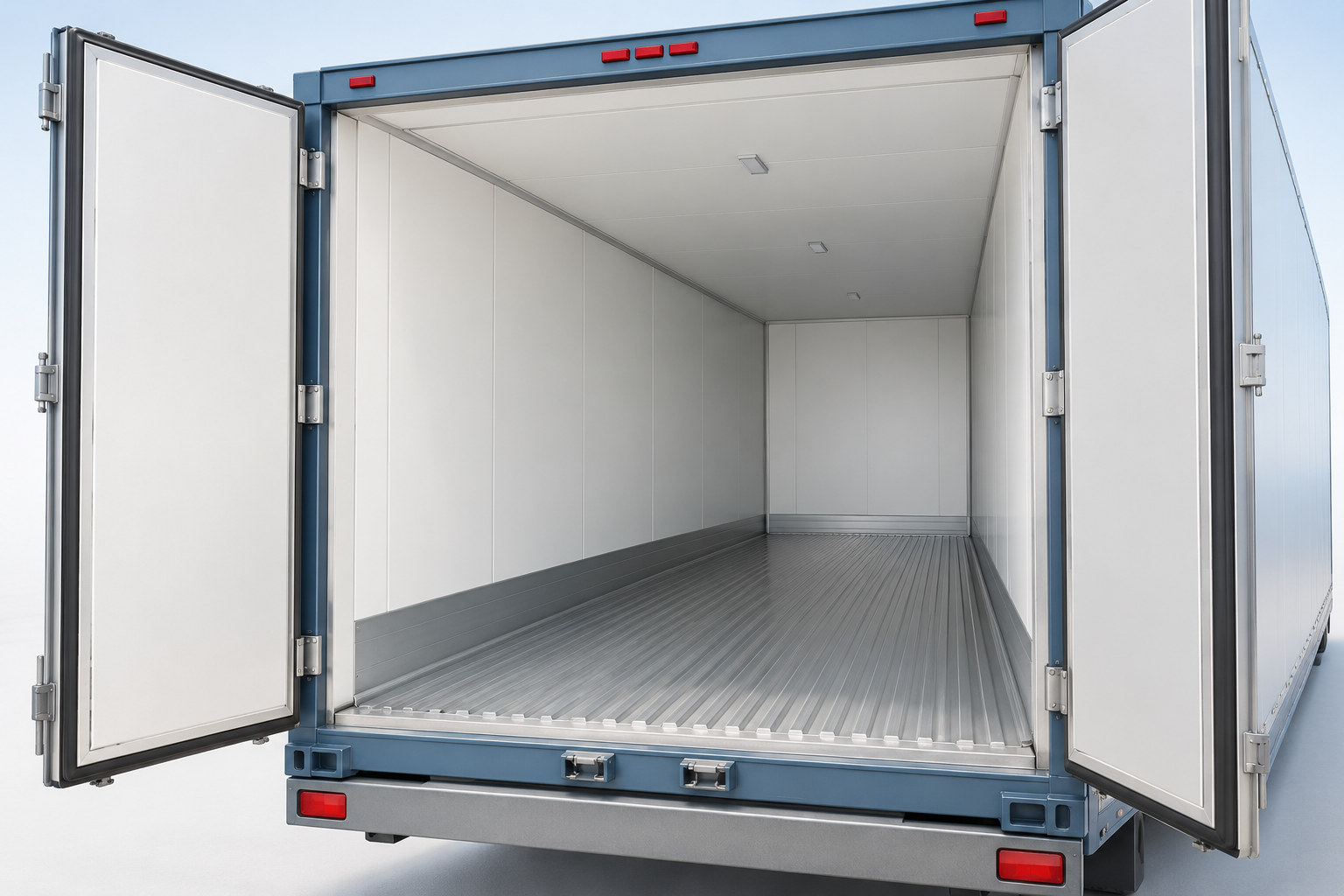
Open the EUR13RFT loading planner. This is an initial equipment selection for a new job, not an automatic calculation. Confirm the equipment shown; saved jobs and your own changes take priority.
Current planning profile
| Profile field | Configured value |
|---|---|
| Planning length x width x height (cm) | 1,338 x 246.2 x 270.7 |
| Default rear-door width x height (cm) | 245.5 x 269.5 |
| Configured cargo ceiling (kg) | 24,000 |
| Rectangular reference volume (m3) | 89.173 |
| Airflow / refrigeration geometry | Not modelled by this preset |
The 13.6 m equipment name does not mean 13.6 m of usable floor. The reference envelope is 13.38 m long. Tare is recorded separately at 8,600 kg; it is not added to entered cargo for comparison with the cargo ceiling. This rectangular profile does not allocate air-return space, insulation details, movable partitions or cooling machinery. Geometric fit is not temperature or regulatory certification.
Compare with an identified equipment example
| Source field | Published value or exact conversion |
|---|---|
| Interior length x width x height | 13.380 x 2.462 x 2.707 m |
| Rear-door width x height | 2.455 x 2.695 m |
| Example tare | 8,600 kg |
| Example maximum payload | 24,000 kg; operator specification |
| Advertised pallet positions | 33 EUR / 26 UK; not every loaded-pallet order |
Source: ECS 45 ft Fridge Trailer equipment example. Use the 45 ft Fridge Trailer section, not the electric reefer container sections. These operator values match the CBM3 reference; they do not establish universal vehicle, route, axle or legal limits. Pallet-position counts do not specify your load height, weight, overhang or cooling-space needs.
Reproduce two entered-order examples
Use metric units and switch palletization off: example A already includes the pallet base in its outer dimensions and gross unit weight. Do not add pallet height or tare again. Set Horizontal Only rotation, This Side Up on, Stackable off, Fragile off, no additional stack-weight limit, Normal priority and no delivery stop. Leave the equipment and global constraints at their defaults.
| Example | Width x length x height cm | Units | Gross kg per unit | Input m3 | Stackable | This Side Up |
|---|---|---|---|---|---|---|
| A: loaded pallet order | 80 x 120 x 200 | 33 | 600 | 63.360 | No | Yes |
| B: upright clearance | 100 x 120 x 269 | 1 | 1000 | 3.228 | No | Yes |
| Example | Method | Entered | Placed | Unplaced | Trailers allocated | Placed m3 | Placed kg | Payload check |
|---|---|---|---|---|---|---|---|---|
| A | Max Volume | 33 | 33 | 0 | 1 | 63.360 | 19,800 | Within configured ceiling |
| A | Best Balance | 33 | 33 | 0 | 1 | 63.360 | 19,800 | Within configured ceiling |
| B | Max Volume | 1 | 1 | 0 | 1 | 3.228 | 1,000 | Within configured ceiling |
| B | Best Balance | 1 | 1 | 0 | 1 | 3.228 | 1,000 | Within configured ceiling |
Example A places all 33 entered units in one trailer, totalling 19,800 kg against the configured 24,000 kg cargo ceiling. Example B at 269 cm also fits geometrically. An additional 270 cm upright diagnostic remains unplaced: it is below the 270.7 cm internal height but above the 269.5 cm default door limit. Even the 269 cm result leaves only 0.5 cm of modelled door-height margin; it is not practical handling or airflow approval. Input volume includes unplaced cargo. Zero allocated trailers means no valid placement was found for that item, not that no vehicle is needed.
Both automatic methods ran on 6 October 2026 through the installed 11.63.52 Worker in Node with current default-equipment helpers. Independent audits checked quantities, boundaries, orientation, collision, support and any configured cargo limit. These are not browser, loading-dock or cold-chain acceptance tests.
Does a 33-pallet layout prove the order is ready to ship?
No. Example A uses 33 loaded Euro-format units, each 80 x 120 x 200 cm and 600 kg gross, without stacking. It tests that particular order, not a universal maximum. Euro, UK industrial and GMA footprints are not interchangeable: enter the actual outer size instead of choosing a name alone. Separate physical restraint, air circulation and vehicle checks remain necessary.
Air circulation is a separate loading requirement
Thermo King air-management guidance describes air chutes and return-air bulkheads as components for distributing conditioned air. CBM3 does not simulate their airflow or temperature performance. Obtain the loading clearances and operating instructions for the actual refrigeration installation; a geometrically full trailer is not evidence that cooling paths remain usable.
Before release, verify the assigned vehicle, access opening, cargo and axle limits, securing arrangements and temperature-control procedure. Retain actual orientation and stacking permissions. More search time does not guarantee an optimum or minimum trailer count. Available calculations, account access and exports follow the current tool controls; unrestricted anonymous use is not promised.
Related planning tasks
Compare the 53RFT loading guide, follow the step-by-step planning guide, or browse the loading-space guide directory.
Build a loaded Euro-pallet test without double counting
- Select EUR13RFT and compare the reference with the booked fridge trailer. Nominal 13.6 m length is not 13.6 m of usable floor in this model.
- Measure the full loaded pallet, including base, wrapping and overhang. Enter its total height and gross weight once; do not add pallet height or tare again through a second palletization step.
- For the published example keep Horizontal Only, This Side Up and stacking off. Run the specified quantity; do not silently replace Euro footprints with UK industrial or GMA dimensions.
- Review placed/unplaced counts, actual access margin and the cargo ceiling. Confirm refrigeration space, restraint, booked vehicle and route requirements before operational use.
What the 33-pallet example does and does not establish
The entered order is 33 loaded units, each 80 x 120 x 200 cm and 600 kg gross. Both recorded methods place the order in one trailer, with 19,800 kg cargo against the configured 24,000 kg ceiling. This checks one order; it does not establish a universal maximum, stacking strength or readiness to ship.
The preset’s 8,600 kg equipment tare is not added to cargo when testing a cargo-only ceiling. Loaded-pallet tare is already included in each unit’s gross weight. Neither that bookkeeping nor an operator’s advertised pallet positions certifies the actual tractor-trailer combination, route or axle limits.
The current 11.63.55 profile, complete default-input composition and weight-helper states were checked on 7 October 2026. The table preserves the 11.63.52 solver results of 6 October without a new solver run. A 269 cm upright item passes the model with only 0.5 cm door-height margin; the separate 270 cm diagnostic fails the door despite fitting below the 270.7 cm interior. Neither outcome is a physical handling or airflow test. Cargo totals are not VGM or a verified combination gross weight.
European reefer trailer planning questions
Will 33 Euro pallets fit in every 13.6 m reefer trailer?
No universal loaded-pallet capacity is claimed. The example tests 33 specific units in one reference. Packed overhang, height, gross weight, access and cooling-space requirements can make a different order infeasible.
Why is the modeled usable length only 13.38 m?
The selected ECS Fridge Trailer source identifies an internal length of 13.380 m. The nominal equipment name does not override that internal reference or describe every trailer’s useful floor length.
Can a 270 cm upright item pass the default door?
No. It is below the 270.7 cm interior but above the 269.5 cm door limit. Horizontal rotation preserves its upright height. The diagnostic is rejected rather than bypassing the opening.
Is the 24,000 kg ceiling a standard legal EU payload?
No. It is the selected operator-profile cargo value. Actual equipment, combination, axle and route restrictions still require assessment. Do not add equipment tare to a cargo-only comparison or use it to imply legal compliance.
Does a full 3D layout confirm temperature performance?
No. This rectangular preset does not allocate air-return clearances, cooling-unit intrusion or movable partitions, and does not simulate refrigeration. Follow the requirements for the actual installation and shipment; geometric fit is not cold-chain or ATP certification.
Software compatibility note, 8 October 2026 (Europe/Istanbul): The planning profiles and recorded example inputs were checked against the source-reviewed CBM3 11.63.56 candidate. The earlier example execution dates remain unchanged; this compatibility review is not a new optimization run or physical-loading test. Fleet-provider and carrier references are not manufacturer approval. Confirm the actual unit dimensions, payload and securing requirements.
How to inspect and hand over a loading plan
Use the selected plan and the complete shipment data. Recheck the result after changing cargo, equipment or handling rules.
The reference configuration for this guide is a 4x2 tractor and three-axle refrigerated semitrailer. Match it to the actual vehicle before comparing axle loads. Other axle counts and lift-axle operation require a different model.
See every cargo unit in context
Search the cargo inventory, focus on an item and switch between realistic, operational, top and side views. Inspect pallet layers and height sections.
The inventory separates requested units, units in the selected container, units in other containers and unplaced units. Select a row to find its cargo in the scene; playback and height sections show only part of the complete plan.
Use pallet details to inspect full, partial and mixed pallets. A height section filters the view; it does not remove cargo from the plan. Vehicle bodies and wheels provide visual context.
Prepare clearer warehouse instructions
Use product colors and short codes, named groups and delivery stops. Choose a summary or warehouse PDF for the selected plan.
Assign product colors and short codes to connect the cargo table, 3D view and reports. Group and stop names improve instructions; apply the appropriate loading rules when a sequence must be enforced.
Compare verified alternatives and review any manual moves. A manual reallocation affects the current preview and PDF; saved or shared inputs recalculate the automatic arrangement when reopened. Export again after changes.
Read the estimated center of gravity
Review longitudinal, lateral and height coordinates from known cargo and pallet masses. Check the displayed origin and units before comparing plans.
The estimate assumes each item's mass is centered and excludes vehicle tare. Missing or stale additional-material records can leave the complete-load assessment unavailable; explicitly declare none when no extra materials are present.
Coordinates use the load-space frame, not road height. For Step Deck, X starts at the raised front end and Y at the lower-deck datum; axle-form distances run from the rear toward the cab.
Inspect editable axle-load estimates
Supported road and rail profiles show 2, 4 or 5 axle loads, entered limits and utilization. Show or hide the cards in the simulation.
Open Vehicle axle estimates, apply a matching reference profile or enter your vehicle data, review the values and acknowledge the assumptions. Complete the cargo, pallet and additional-material inventory, then calculate and enable Axle loads.
Reference positions, tare, suspension shares and comparison limits are editable assumptions. These stationary estimates do not check dynamic loads or route legality. Axle results remain in the current session and are not included in saved/shared plans or PDFs.