
40ft (40DC) Container Loading Calculator
Test your order in a standard 40ft dry container, also called 40DC or 40GP. Check mixed cartons and loaded pallets against the selected profile; a longer container does not automatically provide twice the cargo payload.
Test the quantity you enter and review placed and unplaced cargo. This is a planning estimate, not a maximum-capacity guarantee or transport approval.
A standard 40ft dry container offers about 67 cubic metres of interior space. That does not mean every shipment below 67 CBM will fit. The 40DC loading planner tests the quantities you enter against dimensions, rotation, stacking and cargo weight. This guide explains the inputs and provides two reproducible loading examples.
Quick answer: CBM3’s 40DC profile is 1,203 cm long, 235 cm wide and 239 cm high: 67.566 m3 of calculated interior volume, with a 28,600 kg cargo planning limit. These are software defaults, not measurements or load approval for your assigned container.
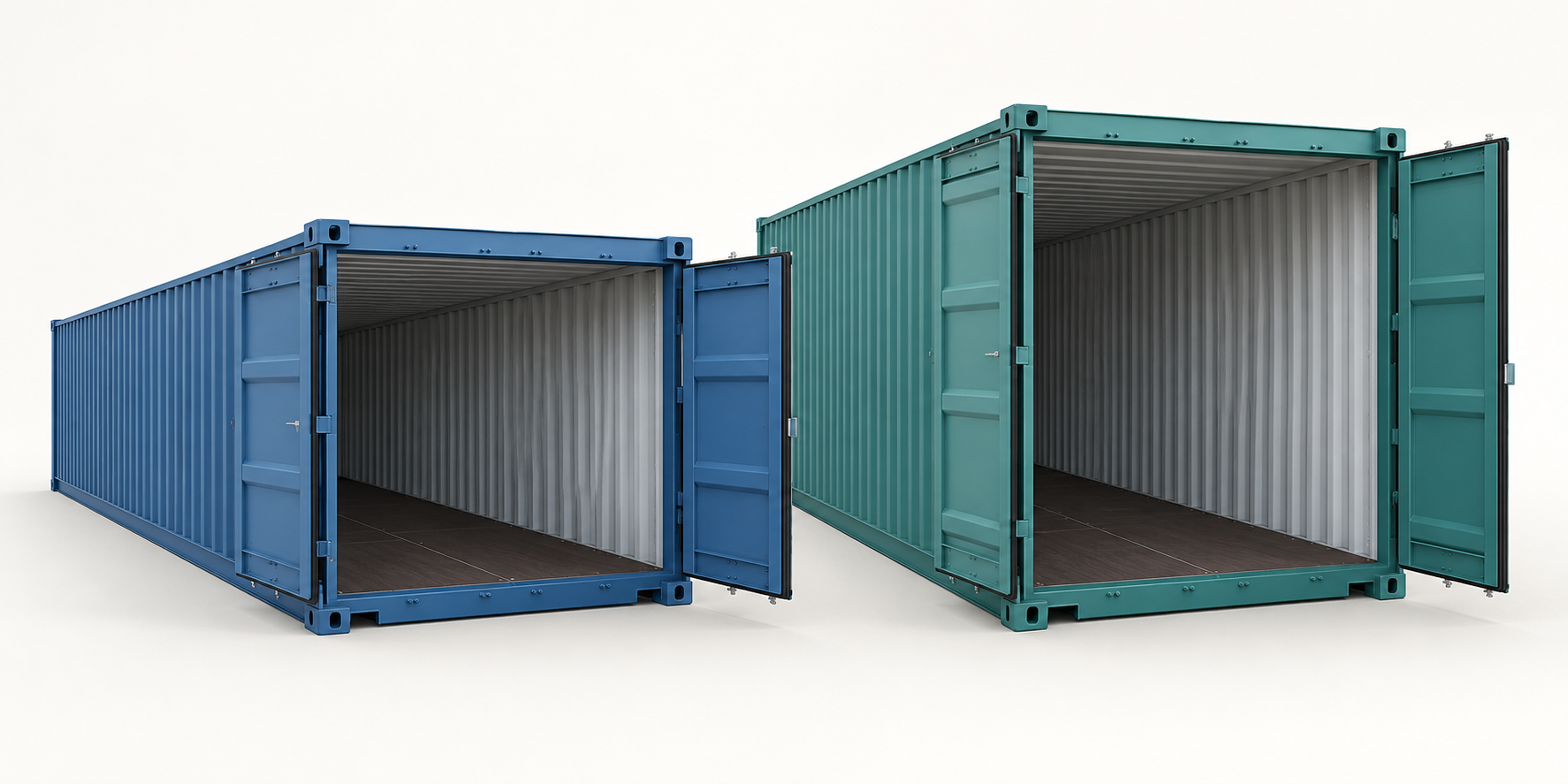
What does 40DC mean?
In CBM3, 40DC selects a standard-height 40ft dry container. A booking may use another label, such as 40GP; confirm the equipment specification with the carrier. The nominal 40ft length is not the usable interior length. Refrigerated, high-cube and open-top equipment require their own profiles.
40ft container dimensions, door opening and payload
Check interior space, doorway clearance and weight separately. A box may fit inside yet fail to pass through the door. The fleet example below is not a universal specification.
| Measurement | CBM3 40DC profile | Hapag-Lloyd fleet example |
|---|---|---|
| Inside length | 1,203 cm | 1,203.2 cm |
| Inside width | 235 cm | 235.2 cm |
| Inside height | 239 cm | 239.5 cm |
| Door width x height | No verified opening in this preset | 234.0 x 229.2 cm |
| Cargo payload | 28,600 kg planning limit | 28,750 kg |
| Interior volume | 67.566 m3, calculated | 67.7 m3, published |
Reference: Hapag-Lloyd, 40′ Standard, checked on 6 October 2026. The carrier notes manufacturer variation. Obtain the actual unit’s dimensions and ratings; do not substitute these example values for its plate or booking limits. The default CBM3 profile does not establish doorway clearance.
How many CBM can a 40ft container hold?
The CBM3 interior calculation is 1,203 x 235 x 239 / 1,000,000 = 67.566495 m3. For a cargo row measured in centimetres, multiply its packed length, width, height and quantity, then divide by 1,000,000. Add all rows for shipment CBM.
For example, 150 cartons of 40 x 60 x 80 cm occupy 28.800 m3. Subtracting this from container volume describes a volume difference, not a usable empty rectangular space. Gaps, orientation, stackability and weight can prevent additional cargo from fitting even when the volume total looks small.
How many boxes fit? Two tested orders
Enter the order you want to ship rather than treating a generic box count as capacity. Both orders were rerun in CBM3 11.63.58 on 12 October 2026 using both standard methods. Order B was also checked in the live browser and exported as the PDF below. The tests were run with no palletization or additional global rules. Width and length may swap horizontally; height stays unchanged. All rows are stackable, not fragile and have no additional maximum stack-weight limit entered. Use those permissions only when they are valid for your packaging.
| Order / row | Width x length x height | Quantity | Weight per item |
|---|---|---|---|
| A: identical cartons | 40 x 60 x 80 cm | 150 | 25 kg |
| B: small cartons | 60 x 80 x 40 cm | 90 | 20 kg |
| B: large cartons | 100 x 120 x 100 cm | 20 | 125 kg |
| Order / method | Entered / placed / unplaced | Containers | Cargo volume / weight |
|---|---|---|---|
| A: Max Volume | 150 / 150 / 0 | 1 | 28.800 m3 / 3,750 kg |
| A: Best Balance | 150 / 150 / 0 | 1 | 28.800 m3 / 3,750 kg |
| B: Max Volume | 110 / 110 / 0 | 1 | 41.280 m3 / 4,300 kg |
| B: Best Balance | 110 / 110 / 0 | 1 | 41.280 m3 / 4,300 kg |
These are checked software results for the entered orders, not maximum-capacity searches or physical loading trials. Independent checks covered quantities, dimensions, rotation, overlaps, container boundaries, support and cargo weight. They do not establish door passage, handling access, packaging strength or securing adequacy.
Real 40ft container loading calculator result and PDF
Order B was entered in the live 40DC calculator on 12 October 2026. Max Volume and Best Balance each placed all 110 cartons in one container, leaving no unplaced cargo. The selected Best Balance plan uses 41.280 m3, or 61.1% of this planning profile. The carton-weight subtotal is 4,300 kg; this excludes additional packing materials and container tare.
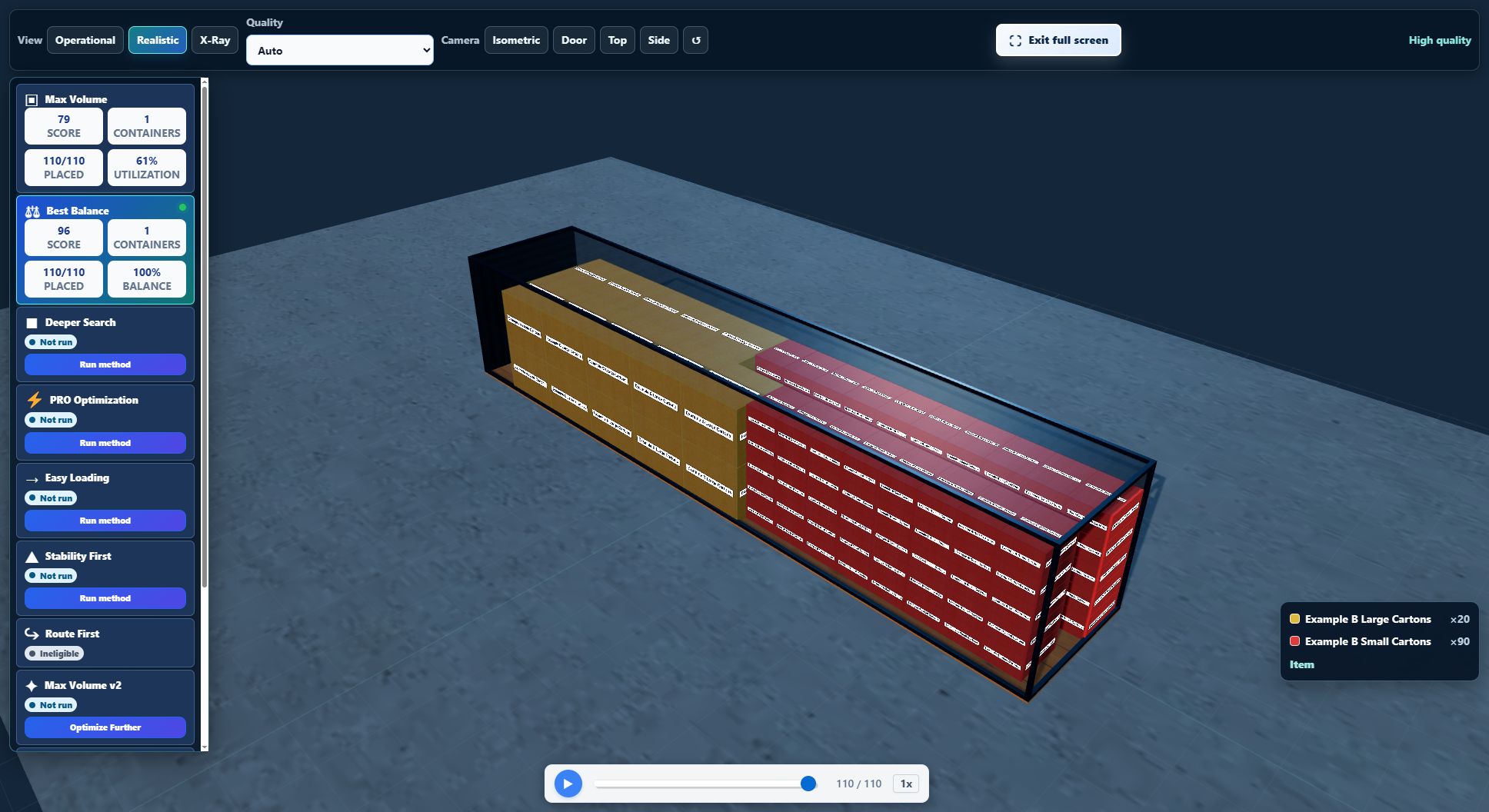
Download the 40DC mixed-carton example report (PDF)
The five-page report contains the entered quantities, per-container totals and loading-sequence images. Its transport checks deliberately remain not assessed: this synthetic example has no assigned container, complete material inventory, route or securing evidence. A software balance score is not a safety rating, and the cargo subtotal is not verified gross mass (VGM).
How many pallets fit in a 40ft container?
A bare-pallet footprint is not enough to answer. Measure each loaded pallet’s outside width and length, including overhang, its total height including the base, and gross weight including pallet tare. A wrapped load can be wider than its pallet, and a tall unit can be blocked by the doorway.
For already loaded pallets, use each complete unit as a box-shaped transport envelope with horizontal rotation only and stacking disabled unless expressly permitted. Do not palletize it again or add the base and tare twice. For loose cartons that still need pallets, use the palletization workflow instead. Test the entered pallet quantity; this guide does not promise a fixed Euro-pallet or GMA-pallet count.
40ft standard or high cube: which should you test?
CBM3’s standard and high-cube profiles share the same 1,203 x 235 cm floor. The high cube adds 30 cm of planning height, not extra floor width or length. It may help with upright tall cargo or an additional permitted layer, but it does not automatically increase the number of non-stackable pallets. Compare the same load and rules in the 40ft high-cube loading guide; do not compare results after silently changing rotation or stackability.
Build your own 40DC loading plan
- Open the 40DC loading planner and check the selected equipment. An existing job or your own selection takes priority over the starting preset.
- Choose metric or imperial before entering dimensions and per-item weights. Do not put inch values into centimetre fields.
- Add a row for each different packed size or handling rule. Enter the quantity you actually intend to ship.
- Keep Horizontal Only unless full 3D rotation is explicitly allowed. Set non-stackable, fragile and maximum stack-weight restrictions to match the real load.
- Press Plan 3D Cargo Loading. In standard non-palletized mode, inspect Max Volume and Best Balance, including placed and unplaced quantities.
- Review each container and its loading sequence. Confirm actual doorway clearance, handling and securing before using the plan operationally.
What the result does not approve
A geometric plan is not a transport-safety certificate. The IMO/ILO/UNECE CTU Code provides non-mandatory packing and securing guidance. Actual packaging, load distribution, restraint and handling still need competent review.
Cargo weight in this guide is not verified gross mass (VGM). IMO’s SOLAS guidance places VGM responsibility on the shipper for applicable vessel loading. The verified packed mass must account for the container and its contents, including pallets and securing materials, through the applicable approved process; a calculator total alone does not satisfy it.
Common 40ft loading questions
Does less than 67 CBM guarantee that my shipment fits?
No. CBM ignores shape and placement. One oversized piece can fail while a larger total volume of smaller, stackable cartons fits. Test the actual rows and inspect unplaced cargo.
Can I turn boxes onto their sides to fit more?
Only when their contents and packaging permit it. Horizontal Only preserves entered height. Full 3D Rotation is an explicit permission, not a recommendation to overturn pallets or ignore This Side Up requirements.
Will the planner prove that one container is the minimum?
No. It returns a computed arrangement for your inputs and constraints. A successful single-container result shows those entered units fit the checked software model; it does not certify the physical shipment or prove mathematical optimality.
References and review date
Technical references: Hapag-Lloyd, 40′ Standard; IMO/ILO/UNECE, CTU Code; IMO, Verification of the Gross Mass of a Packed Container. Technical references checked on 6 October 2026. Software reference: CBM3 11.63.58 equipment profile and the four method results above, rerun on 12 October 2026. Browse the loading-space guides for other equipment.
How to inspect and hand over a loading plan
Use the selected plan and the complete shipment data. Recheck the result after changing cargo, equipment or handling rules.
See every cargo unit in context
Search the cargo inventory, focus on an item and switch between realistic, operational, top and side views. Inspect pallet layers and height sections.
The inventory separates requested units, units in the selected container, units in other containers and unplaced units. Select a row to find its cargo in the scene; playback and height sections show only part of the complete plan.
Use pallet details to inspect full, partial and mixed pallets. A height section filters the view; it does not remove cargo from the plan. Vehicle bodies and wheels provide visual context.
Prepare clearer warehouse instructions
Use product colors and short codes, named groups and delivery stops. Choose a summary or warehouse PDF for the selected plan.
Assign product colors and short codes to connect the cargo table, 3D view and reports. Group and stop names improve instructions; apply the appropriate loading rules when a sequence must be enforced.
Compare verified alternatives and review any manual moves. A manual reallocation affects the current preview and PDF; saved or shared inputs recalculate the automatic arrangement when reopened. Export again after changes.
Read the estimated center of gravity
Review longitudinal, lateral and height coordinates from known cargo and pallet masses. Check the displayed origin and units before comparing plans.
The estimate assumes each item's mass is centered and excludes vehicle tare. Missing or stale additional-material records can leave the complete-load assessment unavailable; explicitly declare none when no extra materials are present.
Coordinates use the load-space frame, not road height. For Step Deck, X starts at the raised front end and Y at the lower-deck datum; axle-form distances run from the rear toward the cab.
Distinguish the loading unit from its carrying vehicle
This loading unit alone does not define an axle configuration.
Inspect cargo and pallet weight distribution in this loading space. A container, swap body or air-cargo unit does not identify the road chassis, rail wagon or aircraft carrying it.
Axle estimates are available after selecting a supported complete road or rail vehicle. Enter its actual mounting positions, full empty reactions and applicable limits; do not reuse a trailer reference as container or aircraft approval.